
Sudoku.com - Sudoku Puzzle
EasybrainPuzzle
4.786.98K Reviews
- Version
- 7.10.0
- Installs
- 100.00M
- Age Rating
- Everyone
Screenshots
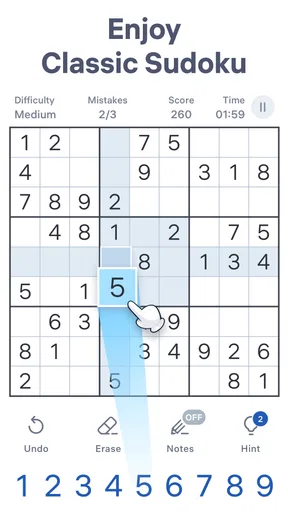
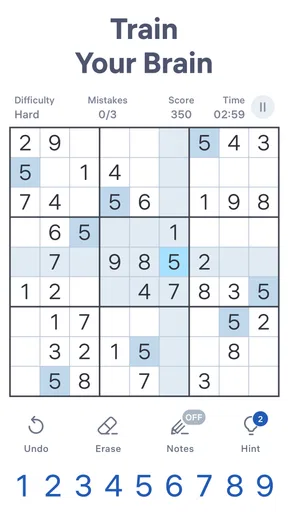


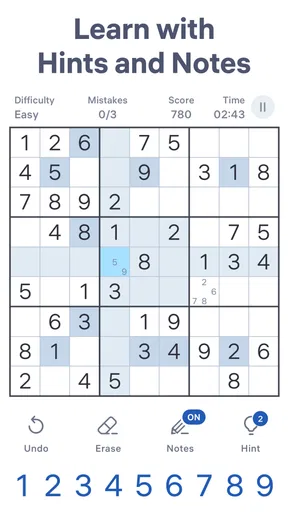

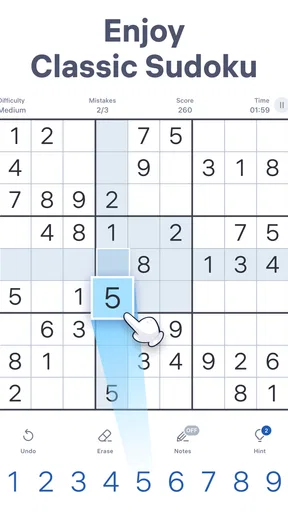
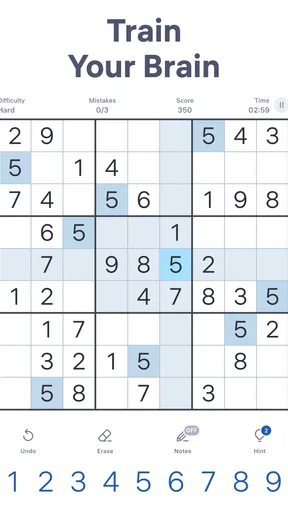
Our Review of Sudoku.com - Sudoku Puzzle
 Analysis by Appyee
When I open Sudoku.com - Classic Sudoku, I know what kind of session I’m getting: a number puzzle that can fit into a short break or stretch into a longer, more focused solve. The board is the main event, and that straightforward approach is a good fit for Sudoku. I don’t have to learn a complicated game world before I can start thinking through rows, columns, and boxes.
How quickly it gets you into a puzzle
The clean layout makes the basic rhythm easy to pick up: scan the grid, decide where a number could go, and keep narrowing down the possibilities. That low setup effort matters when I only have a few minutes. It also makes the game approachable for someone who understands Sudoku on paper but has not played much on a phone.
I would not treat “quick to start” as a promise that every puzzle will be quick to finish. The time depends on the difficulty and on how carefully I work. An easier board can suit a brief pause, while a difficult one asks for attention and a willingness to leave it unfinished when life interrupts. The game is most satisfying when I have enough time to think, rather than when I’m tapping through it in a rush.
Where a longer session changes the experience
Daily play gives the app a useful routine: I can make a puzzle part of a morning coffee or an evening wind-down without having to choose a new game format. The daily challenges add a reason to return, while the range of difficulty gives me room to choose between a gentle warm-up and a more demanding solve. That flexibility is more valuable than simply having a large number of puzzles; it lets the session match my energy.
One practical way to use the difficulty range is to treat it as a ladder rather than a test. If a harder board starts feeling like guesswork, I can step back to a level where I can explain each placement. That helps preserve the logic at the heart of Sudoku. Hints can help when I’m genuinely stuck, but I get more out of first checking a row, column, and box again; using a hint only after that makes it a nudge rather than a shortcut.
Reliability, interruptions, and device fit
A puzzle game is most useful when it can fit around everyday interruptions. I might begin a board during a commute, pause when I arrive, and return later when I have a quieter moment. The app’s offline play is particularly handy when a connection is unavailable or I simply want to save mobile data. I would still avoid starting a demanding puzzle if I know I’ll need to stop every minute, because frequent interruptions make it harder to hold candidate numbers and deductions in mind.
For device compatibility, the current release is version 7.7.0 and it requires Android 8.0 or later. That gives Android users a clear baseline to check before installing. The game is also available on iOS, so it suits people who switch between the two major mobile platforms in a household, though the details of a particular device still matter. I can’t infer how much battery or memory a session uses from the game’s basic description, so I’d judge those demands on the phone I actually use rather than expect a specific performance level.
Sudoku.com is a free puzzle game from Easybrain, with optional in-app purchases priced from $2.49 to $14.99 per item. It is rated for Everyone. Its 4.7 average comes from around 2.4 million ratings, and it has passed 100 million installs, which tells me it has reached a broad audience without making it the right choice for every player. It was released on November 26, 2017, and its established focus is still the familiar Sudoku grid rather than a different kind of number game.
A familiar format with room to choose your pace
The main trade-off is that the classic format stays classic. If I want a story, animated action, or a puzzle mechanic that changes from level to level, this is not where I’d look. It is also not ideal for a player who dislikes number grids or wants a game that supplies constant novelty. But if the appeal is working through a clear logic problem at a chosen pace, the familiar rules are a strength: I can concentrate on solving rather than learning a new system.
Features That Stand Out
One of the things I loved about this app is the variety of difficulty levels. From easy peasy to downright mind-boggling, there’s something for everyone. This means you can start at a level that suits your skill and gradually work your way up as you get better. Trust me, the sense of accomplishment when you crack a tough puzzle is unbeatable!
The app also offers daily challenges, which are a great way to keep your skills sharp. Each challenge feels fresh and exciting, and you can even earn rewards for completing them. It’s like having a mini-adventure every day!
Why You’ll Love It
Now, let’s talk about the hints feature. We all have those moments when we’re stuck and need a nudge in the right direction. The hint system here is super helpful without being too intrusive. It gives you just enough to get back on track without spoiling the fun.
Another cool aspect is the statistics tracker. It’s a neat little addition that lets you track your progress over time. You can see how much you’ve improved and even set personal records. It’s motivating to see your skills grow, and it keeps you coming back for more.
Perfect for On-the-Go
One of the things I appreciate about Sudoku.com - Classic Sudoku is its offline capability. Whether you're on a plane, in a café with no Wi-Fi, or just saving data, you can still enjoy your puzzles. It’s perfect for those moments when you need a quick brain workout without the hassle of finding an internet connection.
Plus, the app is available for both Android and iOS, so no matter what device you have, you’re covered. The seamless experience across platforms is definitely a plus in my book.
When another kind of Sudoku makes more sense
Compared with Sudoku books or newspaper grids, a phone version is easier to carry and gives me hints and progress tracking, but paper can be calmer if I want to work without screen distractions. Compared with other mobile Sudoku games, this one’s appeal is its direct, familiar presentation and daily challenge routine. A player who wants elaborate themes, social competition, or unusual rule variations may prefer an app built around those priorities. I would choose this one for dependable classic solving, not for novelty or a strong sense of narrative.
For a realistic everyday session, I might open a puzzle while waiting for an appointment, complete a few deductions, then return to it later at home. My useful habit is to pause after a clear step and mentally note what the next unresolved area is, rather than entering numbers just to make visible progress. That reduces careless placements and makes resuming easier. If I’m playing while tired, I’d choose an easier level; a challenging grid can become frustrating when my attention is split.
Who will get the most from it
I’d recommend it to beginners who want a welcoming way to practice, returning players who want a familiar daily routine, and experienced solvers who enjoy choosing their own level of challenge. It can also suit someone who wants a quiet, offline activity for travel or waiting rooms. The statistics tracker may appeal if personal improvement is motivating, while the hint option offers a fallback for a stubborn board.
I’d steer away from it if you want a game that constantly changes its mechanics, prefer visual or action-based play, or find Sudoku’s repeated grid format tiring. It may also be a poor match for someone who treats every puzzle as a timed contest but gets annoyed when a difficult solve takes longer than expected. The best reason to install it is liking the process of deduction itself; the app can support that interest, but it cannot make the underlying puzzle style appealing if it isn’t already your thing.
Cost, choice, and a practical verdict
The game is free to download, with optional purchases in the app. I’d begin with the free experience and decide whether any purchase is worthwhile only after I know how often I play. The listed purchase range is $2.49 to $14.99 per item, so it is sensible to check the price shown for an individual item before buying. Nothing about enjoying a standard Sudoku session requires me to treat spending as part of the puzzle itself.
In the wider puzzle category, Sudoku.com is best understood as a focused tool for a specific kind of mental exercise. It is less varied than a collection of unrelated mini-games, but that narrowness is exactly why it works for a daily solving habit. Its broad audience—more than 100 million installs—suggests that the familiar format travels well, while the large pool of ratings gives new players a sense that it is an established choice. Neither figure tells me whether I’ll enjoy a particular difficulty level, so I’d use the first few sessions to find a pace that feels rewarding rather than punishing.
For performance, my expectations are modest and practical: the simple grid should not demand elaborate setup, but actual responsiveness depends on the phone and its condition. If a board ever seems to stop responding, I’d first check whether the device itself is busy, then reopen the game and see whether I can resume comfortably before assuming the puzzle is at fault. I wouldn’t rely on any mobile game as a substitute for a paper puzzle when I need a screen-free break. In normal use, the clear presentation and offline option make it easy to fit into small gaps, while longer sessions work best when I can give the deductions my attention.
Final Thoughts
All in all, Sudoku.com - Classic Sudoku is more than just a game; it's a delightful mental exercise. It’s engaging, challenging, and incredibly satisfying. Whether you’re a casual player looking to kill some time or a hardcore puzzler seeking your next challenge, this app has got you covered.
So, if you haven’t already, head over to your app store and give it a try. You might just find yourself hooked, just like I did!
Privacy and Permissions
See what permissions an app requests and how it handles your data.
- Photos/Media/Files
- read the contents of your USB storage, modify or delete the contents of your USB storage
- Storage
- read the contents of your USB storage, modify or delete the contents of your USB storage
- Wi-Fi connection information
- view Wi-Fi connections
- Other
- view network connections, full network access, prevent device from sleeping, Google Play license check
Verdict
Strengths of Sudoku.com - Sudoku Puzzle
- Intuitive user interface design.
- Daily puzzles for consistent engagement.
- Multiple difficulty levels available.
- Hints and tips for beginners included.
- Offline play mode is available.
Limitations of Sudoku.com - Sudoku Puzzle
- Contains in-app advertisements.
- Requires premium for advanced features.
- Occasional app crashes reported.
- Limited color customization options.
- No multiplayer or social features.
Other Releases by Easybrain
View All
Art Puzzle - Puzzle Games
Puzzle4.8

Arrow Puzzle: Tap Puzzle Games
Puzzle4.8

Blockudoku®: Block Puzzle Game
Puzzle4.6

Jigsaw Puzzles - Puzzle Games
Puzzle4.8
Similar Picks in This Category
View All
Block Blast!
HungryStudio4.8

Braindom: Brain Games Test
Lahana Game Studio4.6

AMAZE!
CrazyLabs LTD4.6

Sudoku - Classic Sudoku Puzzle
Oakever Games4.7
Art Puzzle - Puzzle Games
Easybrain4.8

Amaze GO!
Oakever Games4.9
Frequently Asked Questions
What features does Sudoku.com - Classic Sudoku offer?
Sudoku.com - Classic Sudoku provides a range of features to enhance your puzzle-solving experience. It offers daily challenges, varying difficulty levels from easy to expert, and detailed statistics to track your progress. Additionally, the app includes hints and auto-check options, making it suitable for both beginners and seasoned players.
Is Sudoku.com - Classic Sudoku free to play?
Yes, Sudoku.com - Classic Sudoku is free to download and play. It offers optional in-app purchases for additional features, such as removing ads or purchasing hints. These purchases are not necessary to enjoy the full experience, but they can enhance gameplay for those who choose to invest.
Can I play Sudoku.com - Classic Sudoku offline?
Yes, one of the advantages of Sudoku.com - Classic Sudoku is its offline functionality. You can enjoy solving puzzles without an internet connection, making it a great option for travel or when you're in areas with limited connectivity. Just ensure the app is fully downloaded and updated before going offline.
How does Sudoku.com - Classic Sudoku cater to different skill levels?
The app offers puzzles across various difficulty levels, from easy to expert, allowing players to choose according to their skill level. Beginners can start with simpler puzzles and use hints or auto-check features, while experts can challenge themselves with more complex grids. This versatility ensures a tailored experience for every user.
Are there any community or social features in Sudoku.com - Classic Sudoku?
Sudoku.com - Classic Sudoku includes a daily challenge feature where players can compete against the global community. While there isn't a direct social platform within the app, users can compare their statistics and achievements with others, fostering a sense of competition and community.
Play our best games!


